
You are starting out as an osteopath and mainly want scheduling, online booking, record notes and payment receipts.
Bring consultation types, availability, online appointments, reminders, record notes, documents and payments together in one system.
Start 60 days free Start 60 days free
For osteopaths starting out in Belgium
Set everything up before your first patient. A first consultation that lasts longer than a follow-up, an intake form you build yourself and notes in your own structure. Scheduling, online booking, patient records, follow-up appointments and payment receipts live in the same system.
You build a practice that looks professional from your first consultation: your services, your hours and the admin behind them.
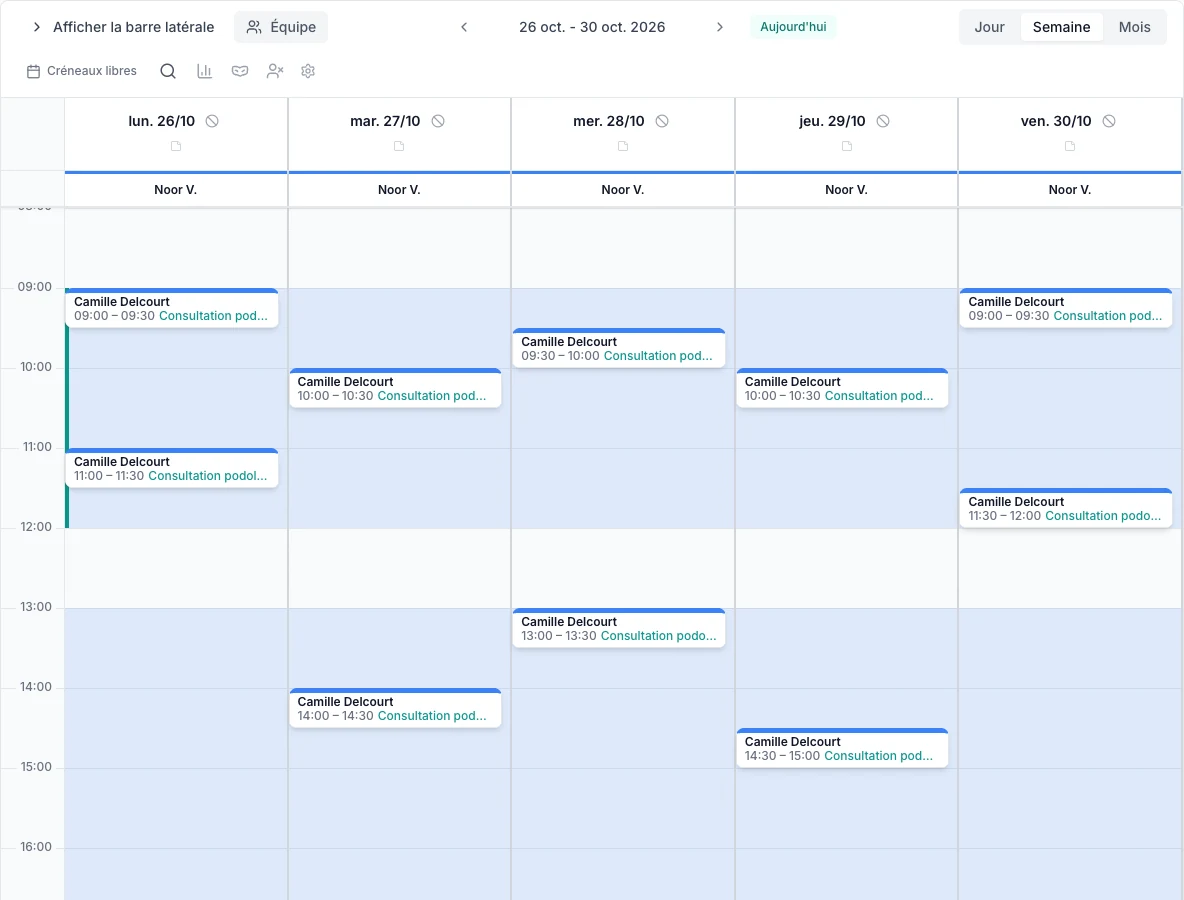
Your schedule is ready and your booking page is open 24/7. Patients pick a consultation and a time themselves, within the hours you open up.
You set up your own consultation types, each with its own duration and price, and decide which ones can be booked online. So a first consultation can take longer than a follow-up.
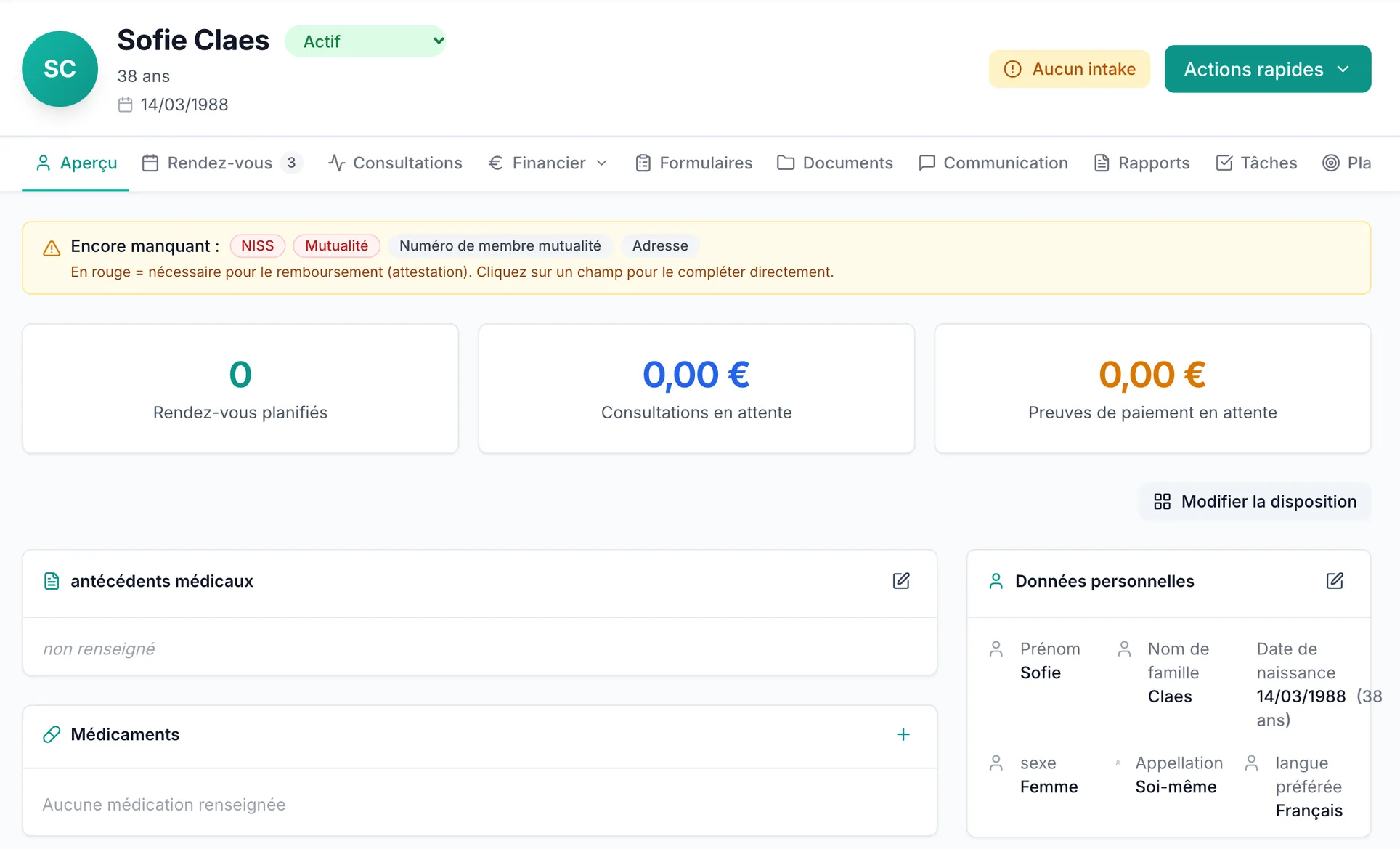
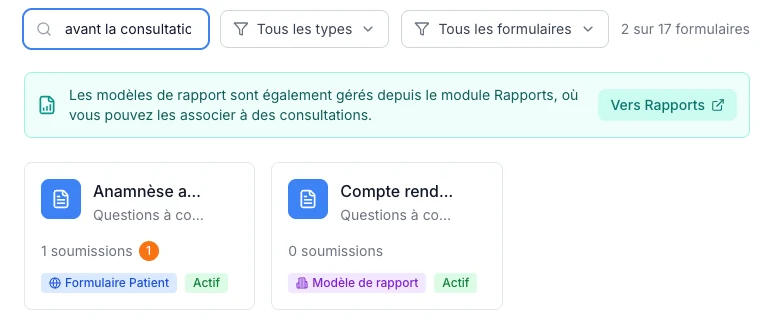
Every patient gets one organised record with their details, consultations and your own notes. You read a new patient’s details from their eID with a card reader. You build your intake form yourself; the answers go into the record. VIMA doesn’t impose a fixed structure or questionnaire.
Osteopathy often runs over several sessions. You schedule the next appointment straight from the consultation and a reminder goes out automatically.
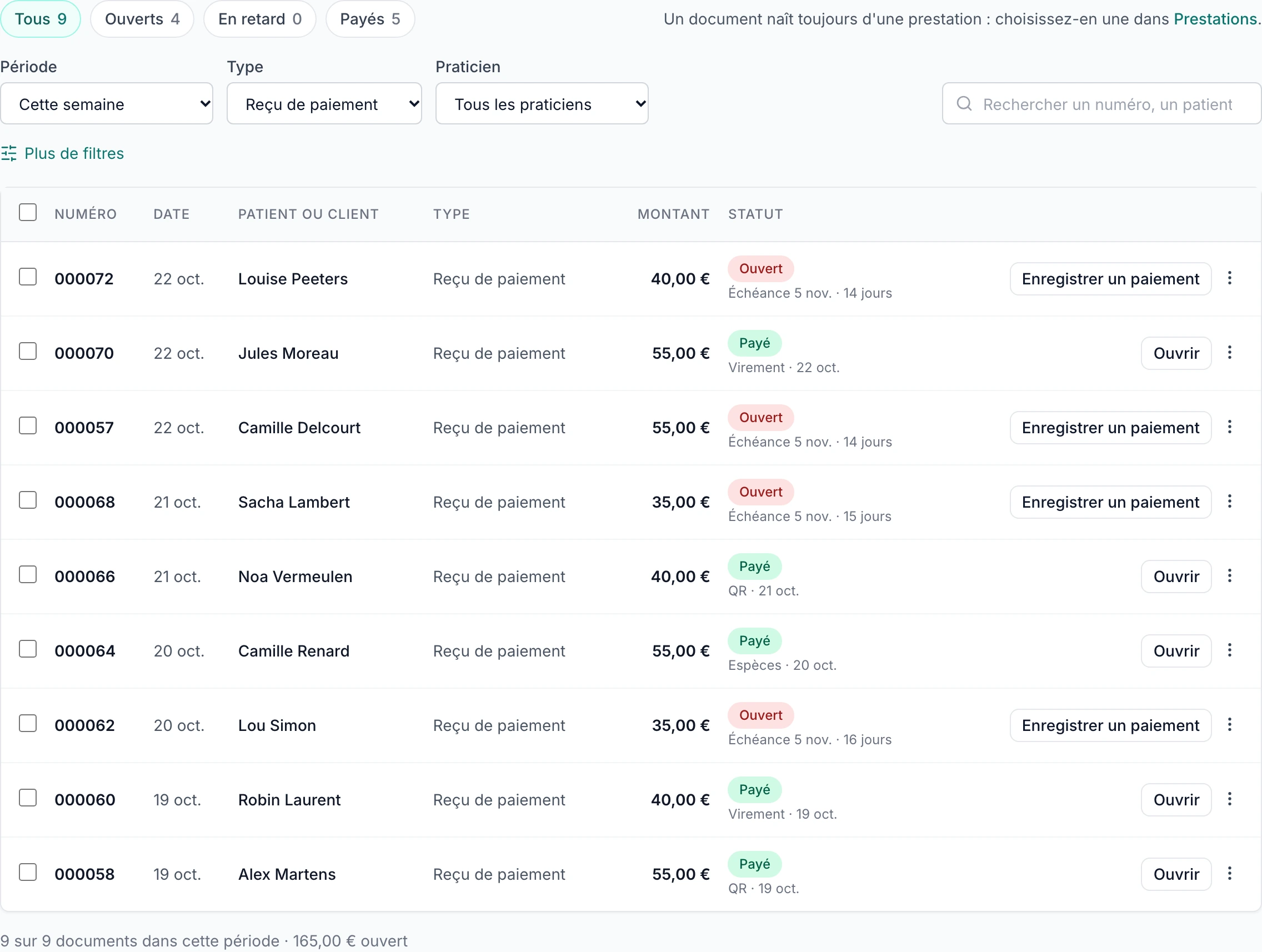
A payment receipt per consultation and an overview of what is still outstanding, so your bookkeeping starts on a clean basis from day one.
Decision matrix
Bring consultation types, availability, online appointments, reminders, record notes, documents and payments together in one system.
Set up your first consultation, follow-up consultation and other appointment types yourself, with their own duration, price and online availability.
VIMA organises your appointments, records, payment receipts and outstanding amounts. Check in a demo which certificates and connections are available and where you need an additional tool.
Available in VIMA. Your practice administrator enables Vimy. Start with €5 of free Vimy credit.
Vimy listens with your patient’s consent and prepares the consultation report as a draft; you check every sentence before you finish it. A question about VIMA while you get started? Ask Vimy in support.
You start with a one-time €5 of free Vimy credit, no payment card needed. Usage depends on your recording and the report you create.
Discover VimyProduct
Four screens from VIMA: your schedule, a patient record, your forms and the overview of your payment receipts.
Start right away with your own setup, or request a demo to see the osteopathy workflow first.
Pricing
The practice software is included in the subscription. Optional text messages and optional campaign email credits are billed separately, based on use.
Coming from Excel or another tool? The VIMA team moves your patients, records, appointments and other data over for free. First we look together at what your current software exports.
See the full pricing pageYour bookkeeping
VIMA keeps your payment receipts and outstanding amounts in one place, so you don’t have to piece them together from loose files afterwards. The bookkeeping itself stays the work of your own accountant: VIMA does no bookkeeping, no VAT returns and no filings.
Yes. You fully set up your schedule, your consultation types and your online booking page before anyone books. You start with an empty patient list and add patients as they come in. So you don’t need to import anything to get started.
€30 per month excl. VAT for your first practitioner and €25 per month excl. VAT per extra practitioner. The practice software is included in the subscription; optional text messages and optional campaign email credits are billed separately, based on use. You try it free for 60 days, no credit card needed. There are no installation or setup costs and you can cancel monthly.
Yes. You decide which consultations you offer, how long they last, what they cost and whether patients can book them online. So a first consultation can be longer than a follow-up consultation. The amounts in our screenshots are not official fees and not pricing advice.
VIMA is practice software with a configurable core for scheduling, online booking, records, forms and payments. You build your own consultation types and intake and follow-up forms, and you write your notes in the structure that suits your practice. Book a demo and you’ll see right away whether ready-made osteopathy templates are available for your account.
Yes, for all three. You start with one practitioner and add extra practitioners later at €25 per month excl. VAT per extra practitioner, within the same practice environment. You set availability and access rights per user; as a practice, you decide which access goes with which role and responsibility.
No. VIMA keeps track of your payments, payment receipts and outstanding amounts. Your accountant takes care of your bookkeeping and tax returns, separately from your VIMA subscription.
You activate Vimy, the AI assistant in VIMA, and start with a one-time €5 of free Vimy credit, no payment card and no automatic charge. With consent, Vimy listens during your consultation and writes the report as a draft; you check every sentence. It also answers your questions about VIMA.
Set up your schedule, your consultations and your payment receipts today, and let your practice grow calmly from there.
No credit card needed. Cancel monthly.